
Download EcoCheck – eco-friendly, sustainable, vegan, gluten-free, lactose-free, palm oil, food scanner, barcode scanner, shopping list, shared list, healthy eating
Overview
EcoCheck is a desktop application designed to support users in making informed and responsible choices during grocery shopping. The software functions as a personal shopping assistant, enabling users to scan product barcodes or search by name to instantly access detailed information about food items. It helps identify key attributes such as whether a product is vegan, gluten-free, lactose-free, or contains palm oil—important considerations for health-conscious and environmentally aware consumers. The app aims to simplify the process of selecting products aligned with personal dietary preferences and sustainability values.
Target users include individuals focused on healthy eating, those following specific dietary lifestyles, and environmentally conscious shoppers seeking to reduce their ecological footprint. The application supports collaborative shopping through a shared list feature, allowing family members or friends to coordinate purchases in real time. This functionality enhances usability in household settings where multiple users need to contribute to or review a common shopping list.
Developed by EcoCheck, the software was created by Samira and Ruben, who emphasize accessibility and transparency in sustainable consumption. The team actively invites user feedback, indicating a commitment to continuous improvement based on real-world usage. The app was released on April 10, 2024, and is available for both Windows and Mac platforms.
Key Features & Capabilities
- Barcode and Product Search – Users can scan barcodes or manually search for products to retrieve instant details on ingredients, allergens, and dietary labels.
- Dietary Filter Detection – The software identifies if a product is vegan, gluten-free, lactose-free, or contains common allergens, supporting users with specific dietary needs.
- Palm Oil Detection – EcoCheck highlights products containing palm oil, helping users avoid ingredients linked to deforestation and environmental degradation.
- Personalized Health Insights – Users receive real-time feedback on nutritional and ethical aspects of products, aiding in healthier and more sustainable choices.
- Shared Shopping List – A collaborative feature allows multiple users to view, edit, and manage a single shopping list, ideal for families or roommates.
These features are particularly useful in everyday shopping scenarios. For example, a user can scan a packaged snack at a supermarket to verify if it's suitable for a vegan household. Another user may check a product's palm oil content before purchasing to align with eco-friendly values. The shared list feature streamlines group shopping, reducing duplicate purchases and improving coordination. While specific technical details about data sources or update frequency are not provided, the application is designed to support transparent and informed decision-making in daily consumption habits.
User Interface, Workflow & Performance
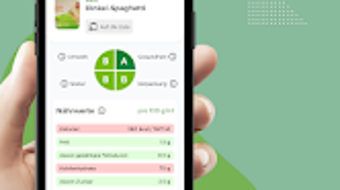
The user interface of EcoCheck is structured to prioritize clarity and ease of navigation. The main screen likely includes a central input area for barcode scanning or product name entry, with results displayed in a clean, organized layout. Navigation between features such as the shopping list, product details, and settings appears to be intuitive, minimizing the learning curve for new users.
Workflow efficiency is enhanced by the direct integration of scanning and search functions, allowing users to quickly retrieve product data without switching between multiple applications. The shared list functionality appears to be seamlessly integrated into the interface, enabling real-time updates across devices. However, the developer did not specify resource usage details, so performance under heavy usage or on lower-end systems remains unclear.
General stability and CPU/RAM behavior were not disclosed. Based on typical desktop application patterns, EcoCheck likely operates efficiently in the background without significant system impact. No reports of crashes or freezes were mentioned. The application’s performance may vary depending on internet connectivity, as real-time data retrieval from product databases is likely required.
Compatibility & System Requirements
EcoCheck is compatible with both Windows and Mac operating systems. The current version is 1.2.0, and the installation size is 50.5 MB, indicating a lightweight footprint suitable for most modern desktop environments. The developer did not provide additional system requirements, so users should ensure their system meets the baseline needs for running a desktop application with camera access and internet connectivity.
Exact hardware requirements, such as minimum RAM or processor specifications, were not listed. Compatibility information is limited to the operating systems mentioned. Users should verify that their system supports camera functionality for barcode scanning and has a stable internet connection for data retrieval. The application’s design suggests it is optimized for desktop use, though no details were provided about touch support or screen resolution adaptability.
Pros and Cons
Pros
- Intuitive interface for quick barcode scanning and product lookup
- Supports multiple dietary preferences including vegan, gluten-free, and lactose-free
- Highlights palm oil content for eco-conscious consumers
- Enables shared shopping lists for family or group coordination
- Lightweight installation size of 50.5 MB
Cons
- No information on system requirements beyond OS compatibility
- Resource usage and performance under load were not specified
- Details on data sources or update frequency are unavailable
- Offline functionality not confirmed
- Price point of $2.99 may be considered high for a utility tool by some users
FAQ Section
Is EcoCheck available for both Windows and Mac?
Yes, EcoCheck is compatible with both Windows and Mac operating systems.
Can I use EcoCheck without an internet connection?
While the application requires internet access for real-time product data retrieval, the developer did not confirm whether offline mode is supported.
How often are product databases updated?
The update frequency of the product database was not specified by the developer.
Is EcoCheck safe to download and use?
EcoCheck is a desktop application developed by a known team, and the software is distributed through official channels. It is recommended to download from trusted sources to ensure security.
What type of license does EcoCheck use?
The licensing model was not disclosed. The software is available for a one-time purchase of $2.99.
Final Thoughts
EcoCheck delivers a focused and practical solution for individuals seeking to make healthier and more sustainable food choices. Its combination of barcode scanning, dietary labeling, and shared shopping list functionality offers tangible value for users committed to conscious consumption. The app’s lightweight design and cross-platform availability enhance accessibility, while its collaborative features support modern household dynamics.
While some technical details remain unspecified—such as system requirements and performance under load—the software demonstrates clear intent and usability. For environmentally aware shoppers, health-focused individuals, and families managing shared grocery needs, EcoCheck provides a meaningful tool. Its thoughtful design and emphasis on transparency align with growing consumer demand for ethical products.
Download EcoCheck now







